



The Calculator helps you calculate the exact stakes needed to complete a matched betting operation correctly.
Unlike the Bet Finder, the Calculator does not search for opportunities for you. Instead, you enter the odds and settings manually, and the Calculator shows you how much to stake, what the expected result will be, and how the operation changes depending on the selected mode.
You use the Calculator to cover a sportsbook bet by betting the opposite outcome — on ProphetX or at another sportsbook — so the result is controlled no matter what happens.
When to Use the Calculator
The Calculator is particularly useful when:
- You already know the event and odds you want to use, and you only need the correct stakes.
- You found a bet manually and want to calculate how to cover it.
- The operation is not available in the Bet Finder.
- You want to test how the result changes with different odds, commission, or stakes.
How to Use the Calculator Step by Step
1. Open the Calculator
Open the Calculator from the NinjaBet tools area.
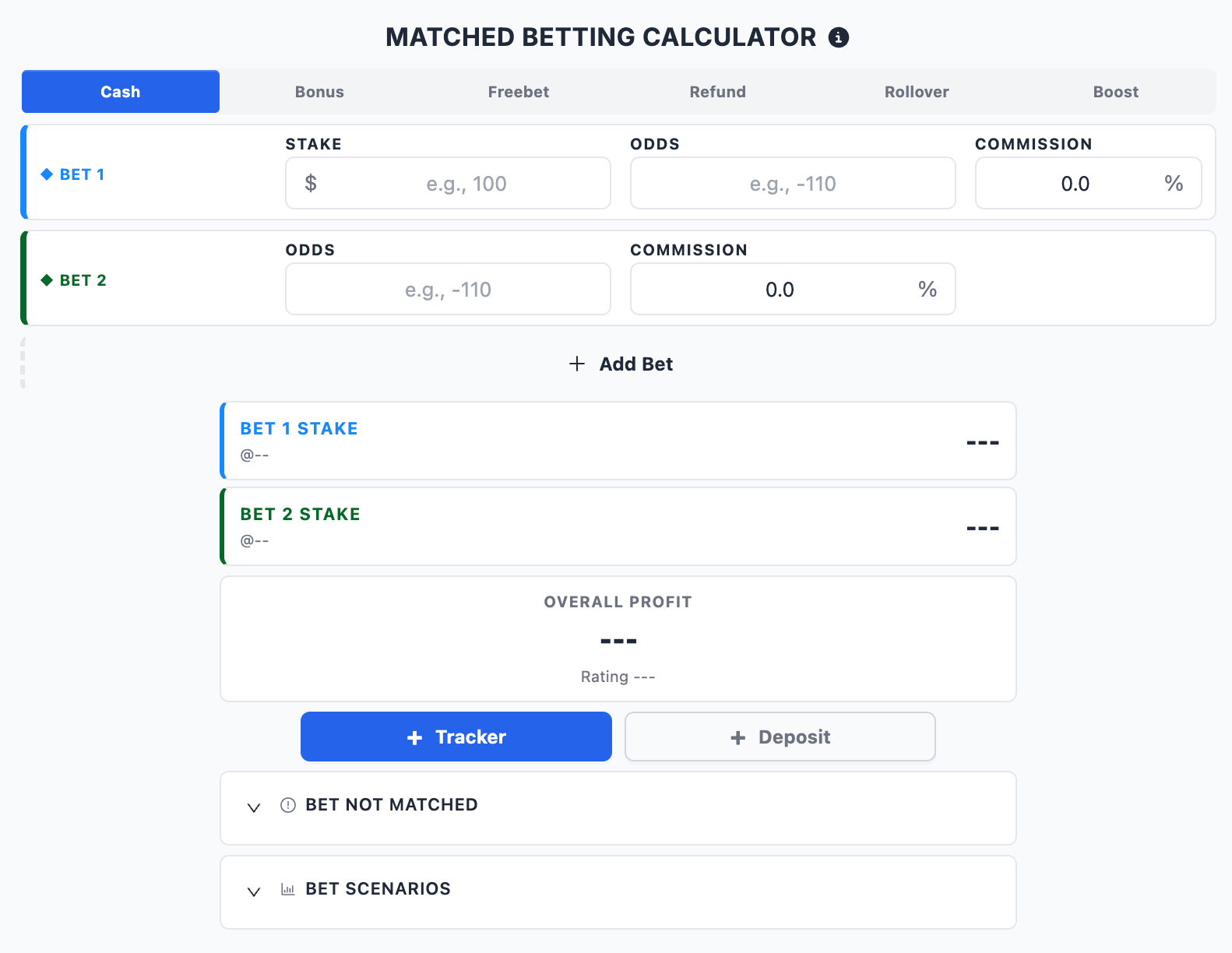
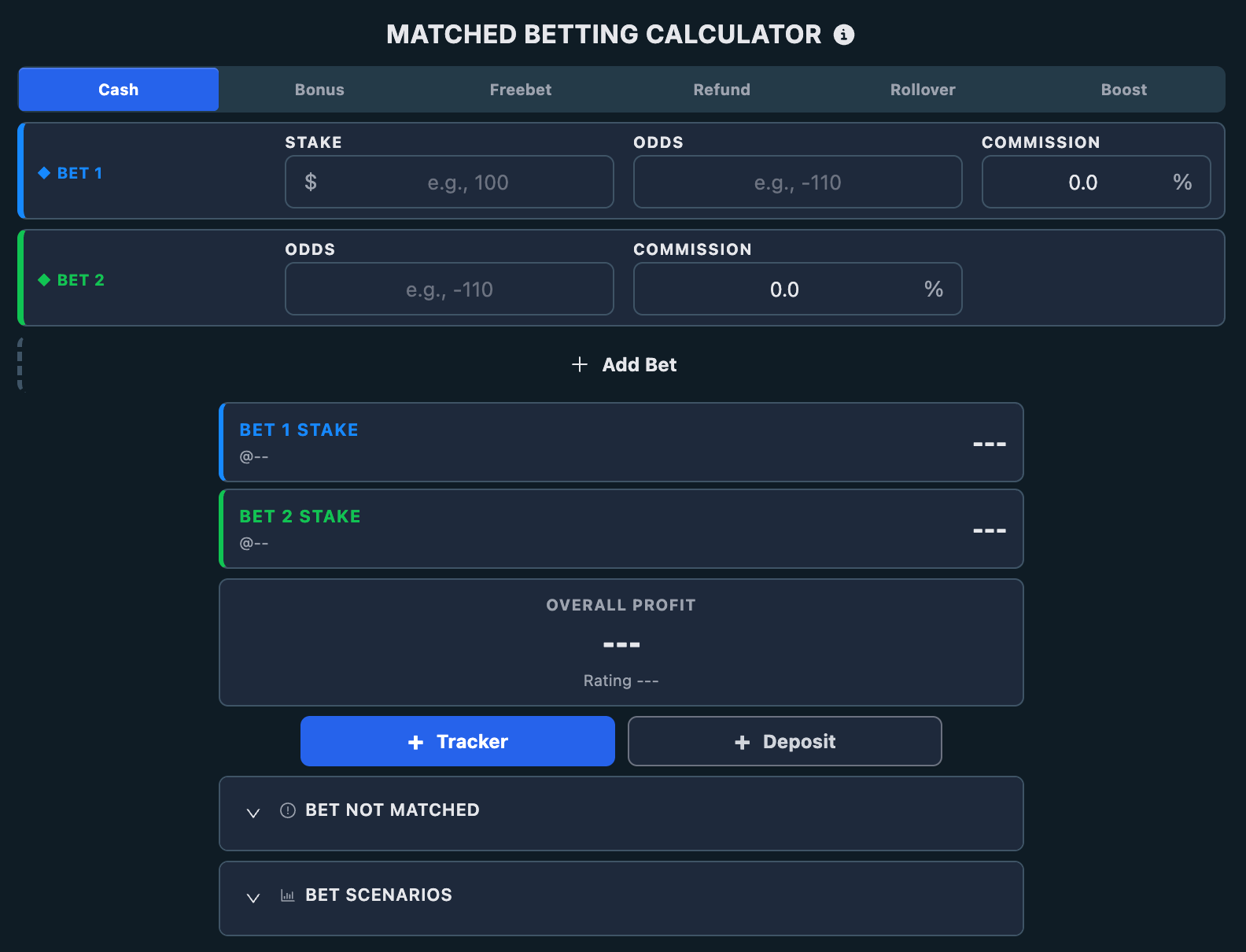
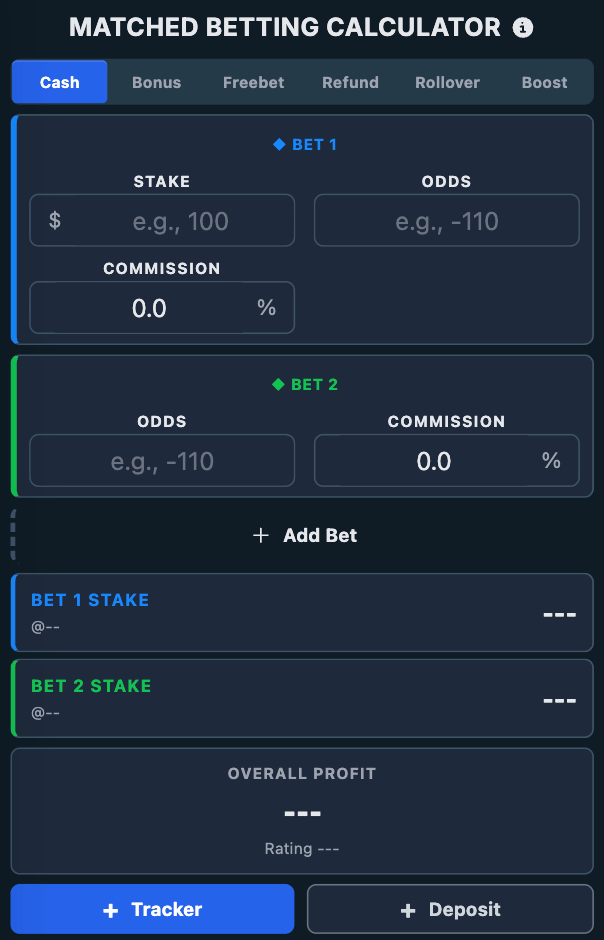
The Calculator lets you build the operation manually by selecting the mode and entering the odds and stake values.
2. Select the Correct Mode
Choose the mode that matches the operation you are completing:
- Cash
- Bonus Bet
- 2nd Chance
- Playthrough
- Boost
Selecting the correct mode is essential because it changes how the stakes, rating, and expected result are calculated. A calculation that is correct for a normal qualifying bet may be completely wrong for a bonus bet, a playthrough, or a boost.
3. Enter the Bet Details
Enter the values required for the calculation:
- The bet amount.
- The odds of your main sportsbook bet.
- The odds of the opposite outcome you will bet to cover it (on ProphetX or another sportsbook).
- The commission, if the hedge is on ProphetX (2% on net winnings).
- Any additional values required by the selected mode.
4. Read the Results
Once the required fields are completed, the Calculator shows:
- The exact stake to place on each bet.
- The expected profit or loss for each possible outcome.
- The overall result of the operation.
- The rating of the calculation.
5. Place the Bets
Before placing the bets, verify that the odds you entered still match the odds available at the sportsbook and on ProphetX.
Once everything is correct, place the bets using the exact amounts shown by the Calculator. Then add the operation to the Bet Tracker using the dedicated button.
Calculator Modes
The Calculator supports the same modes used across NinjaBet. Each mode is designed for a different type of operation.
Use:
- Cash for normal qualifying bets placed with your own money.
- Bonus Bet when the bet uses a bonus balance, or a bonus bet where only the winnings are returned.
- 2nd Chance when the sportsbook returns your stake, fully or partially, if a specific condition is met.
- Playthrough when you need to wager a combination of real money and bonus balance before the funds become withdrawable.
- Boost when a sportsbook increases the winnings of a bet by a percentage.
How Covering Works: Bet the Opposite Outcome
You cover your main sportsbook bet by betting the opposite outcome — on ProphetX or at another sportsbook.
For example, if you bet:
- Lakers to win at a sportsbook,
you cover it by betting:
- Celtics to win on ProphetX (or at another sportsbook).
One bet wins and the other loses — that is normal. What matters is the combined result. When a market has more than two possible outcomes, the Calculator lets you add the extra bets needed and recalculates the stake for each one.
Covering Multiple Outcomes
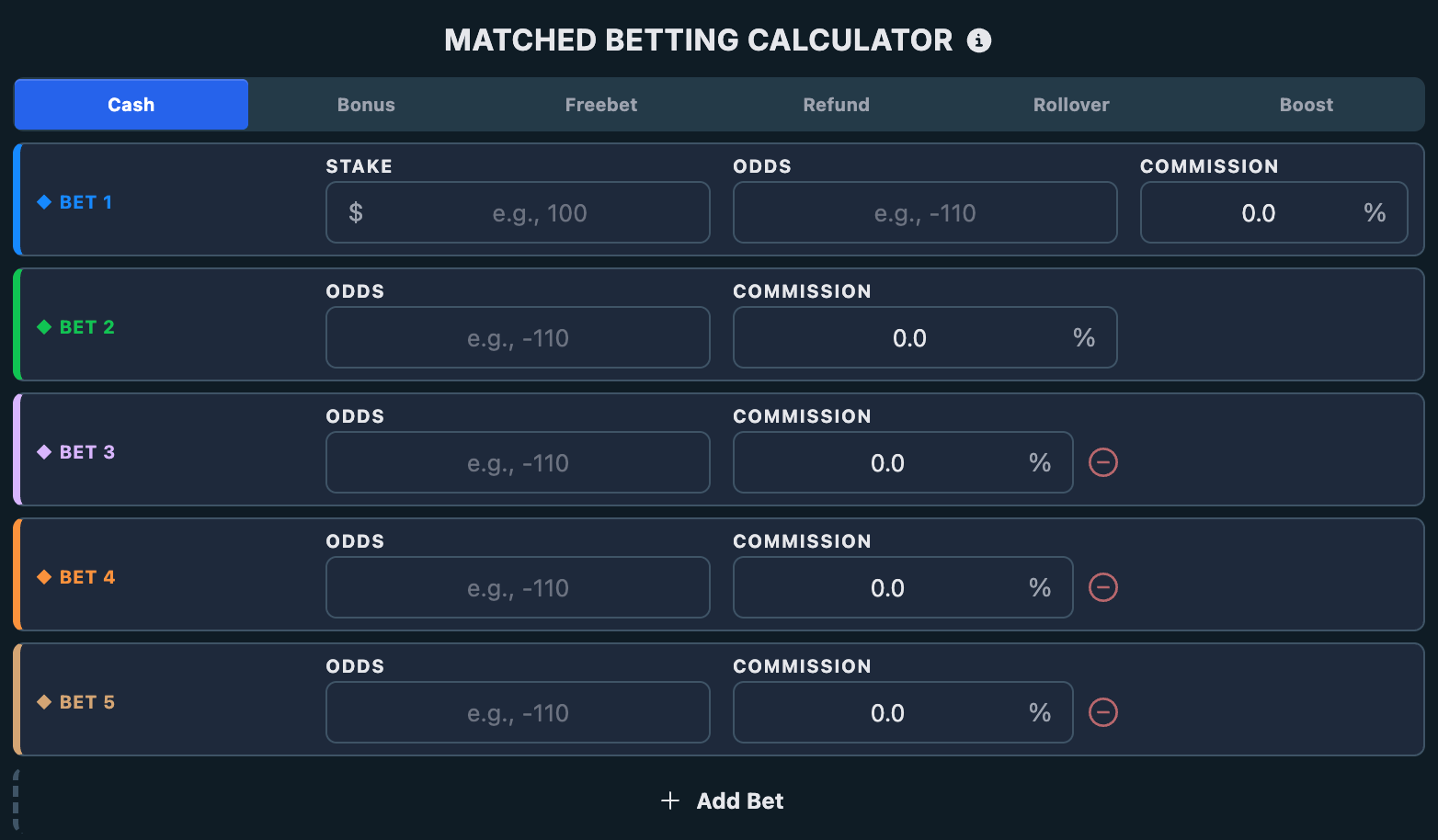
You can add as many bets as the operation requires.
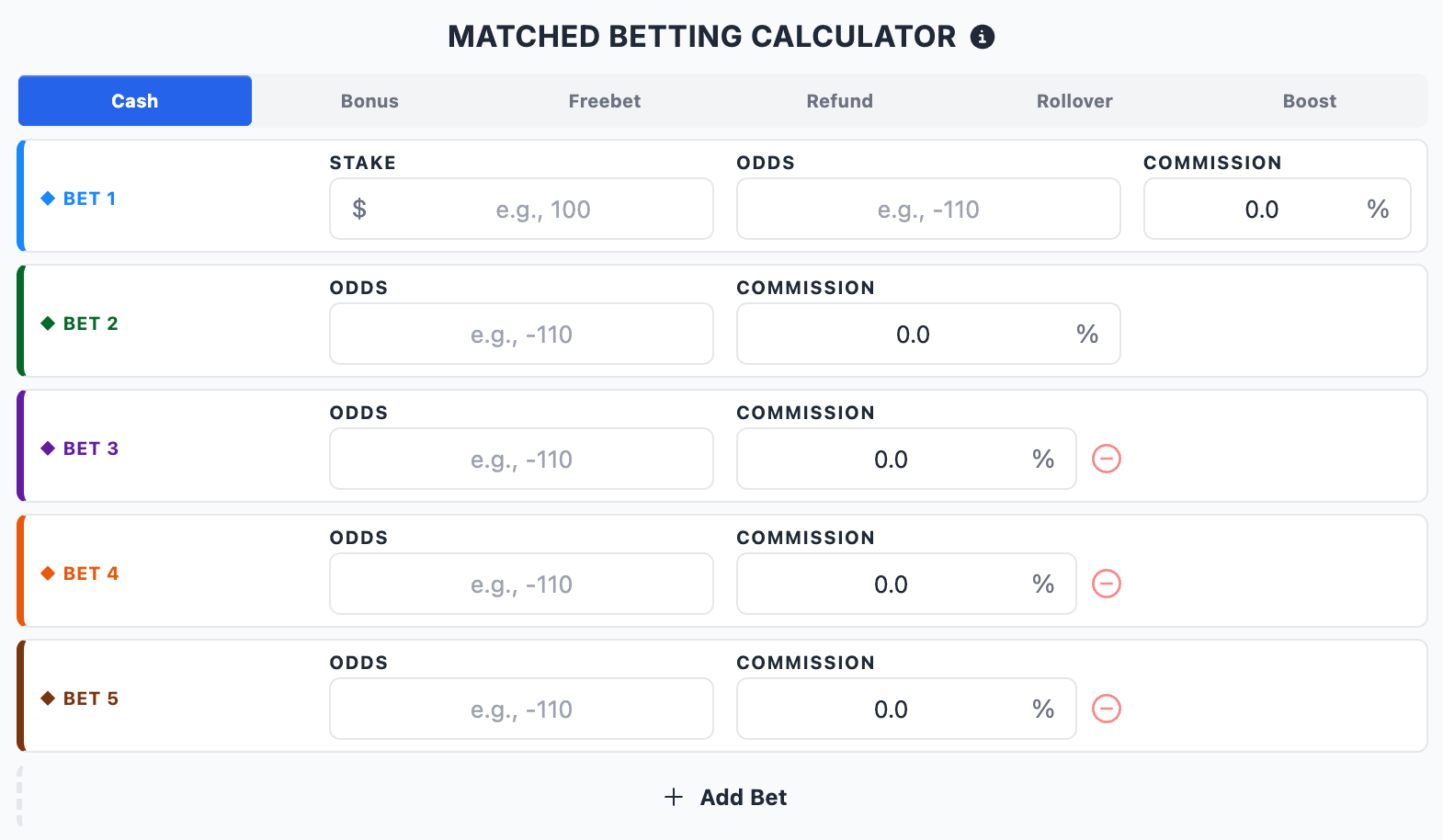
This is useful when you need to cover:
- A market with more than two possible outcomes.
- An operation where you split the hedge across several sportsbooks.
You can:
- Add another bet with the + button.
- Enter the odds and commission for each additional bet.
- Remove unnecessary bets when needed.
The Calculator automatically recalculates the stakes so the whole operation stays balanced according to the selected mode.
Rounding Amounts
If your account is set to Round amounts, the Calculator rounds the stakes placed at a sportsbook. Whole-number stakes are easier to place and look less like calculated bets to a sportsbook.
Bets placed on ProphetX are not rounded. As a prediction market, ProphetX accepts precise stakes, so those amounts stay exact.
Rounded stakes can slightly change the final result. When stakes are rounded or manually adjusted, the profit or loss may no longer be exactly the same for every possible outcome. Always review the scenario results shown by the Calculator before placing the bets.
What the Calculator Shows
The Calculator result area gives you the practical information needed to place the operation correctly.
It shows:
- The stake for your main sportsbook bet.
- The stake for each hedge bet.
- The expected result in each possible scenario.
- The overall profit or loss.
- The calculation rating.
The rating gives a quick indication of how efficient the operation is for the selected mode.
The Calculator also includes copy buttons next to stake values, making it easier to transfer the exact amounts when placing the bets.
Bet Not Matched
The Calculator includes a Bet Not Matched section to help you understand what happens if a hedge bet on ProphetX is not fully Filled.
This matters because odds or available liquidity on ProphetX can change while you are preparing the operation, so a hedge bet can end up partially filled or pending.
For a more in-depth explanation, read the dedicated guide on how the Bet Not Matched section works.
Example: Covering a Bet
Suppose you need to place a $100 Cash qualifying bet on the Lakers moneyline for a sportsbook offer, and you want to cover it by betting the opposite outcome on ProphetX.
You have:
- Sportsbook: Lakers at +120
- ProphetX: Celtics at -105
Step by step
- Open the Calculator.
- Select Cash mode.
- Enter your sportsbook stake: $100.
- Enter the odds for Lakers: +120.
- Enter the odds for the cover on Celtics: -105, and the ProphetX commission (2%).
- The Calculator shows the exact stake to bet on Celtics.
- Review the result for every possible outcome.
- Place both bets using the amounts shown, and check that the ProphetX bet is Filled.
- Add the operation to the Bet Tracker using the dedicated button.
You are not betting on the same outcome twice. You cover your sportsbook bet by betting the opposite outcome. If the market has more than two outcomes, add a hedge bet for each remaining outcome.
Important Checks and Common Mistakes to Avoid
Before confirming any Calculator operation, always verify the following.
1. The selected mode is correct
A Cash calculation is not the same as a Bonus Bet, 2nd Chance, Playthrough, or Boost calculation.
2. The event is the same
Make sure every bet refers to the exact same game or event.
3. The market is the same
Check carefully that the market line is identical.
4. The selection is correct
Your hedge bet must be on the opposite outcome. In a market with more than two outcomes, the hedge bets must complete the remaining outcomes.
5. The odds are still correct
The Calculator uses the odds you typed in. It does not refresh them automatically. Always re-check the live odds before placing the bets.
6. The commission is correct
If you are covering on ProphetX, make sure the 2% commission is set so the result is accurate.
7. The hedge is fully Filled
If you cover on ProphetX, confirm the bet is Filled and not left pending or partially filled.
8. The limits are enough
Make sure the sportsbook accepts the amounts shown by the Calculator.
9. The final scenario results are acceptable
If stakes have been rounded or manually adjusted, check that the profit or loss shown for each outcome is still acceptable before placing the bets.
Final Summary
The Calculator is the tool to use when you already know the bet you want to place and need the exact stakes to cover it.
To use it correctly:
- Open the Calculator.
- Select the mode that matches the offer.
- Enter the stake, odds, commission (if covering on ProphetX), and any mode-specific values.
- Add extra hedge bets when the market has more than two outcomes.
- Review the calculated stakes, rating, and scenario results.
- Check the Bet Not Matched section when relevant.
- Verify the event, market, selection, odds, and limits.
- Place the bets using the exact amounts shown.
- Add the operation to the Bet Tracker.
Used correctly, the Calculator helps you complete qualifying bets, bonus bets, second chance bets, playthroughs, profit boosts, and other matched betting operations with a controlled and clearly calculated result.
What's new in September 2026
In the first month of the new NinjaBet the Calculator gained three things.
- Back-back bets with 4, 5 and 6 outcomes: with Add Bet you add as many bets as the market has outcomes, up to 6, and the cover on markets with many results lands in the Bet Tracker with the right winnings for every outcome.
- The Calculator always beside the table: in the Bet Finder and the other tools it opens in a side panel, which collapses when you need the room, with the Copy event name and Copy date buttons; the custom prediction markets you add in the Bet Tracker can be picked here too, with their commission.
- Open to everyone: the Calculator, the SureBet calculator and the ValueBet calculator now open without signing in, so you can read what they do before creating an account; using them still requires the matching Premium product.
For everyone, even without an account, there are now 12 free betting calculators, from the odds converter to the Kelly criterion (see Which free calculators does NinjaBet offer?). The summary of everything that changed is in What changed with the new NinjaBet site?.
When to Use the Calculator
The Calculator is particularly useful when:
- You already know the event and odds you want to use, and you only need the correct stakes.
- You found a bet manually and want to calculate how to cover it.
- The operation is not available in the Bet Finder.
- You want to test how the result changes with different odds, commission, or stakes.
How to Use the Calculator Step by Step
1. Open the Calculator
Open the Calculator from the NinjaBet tools area.
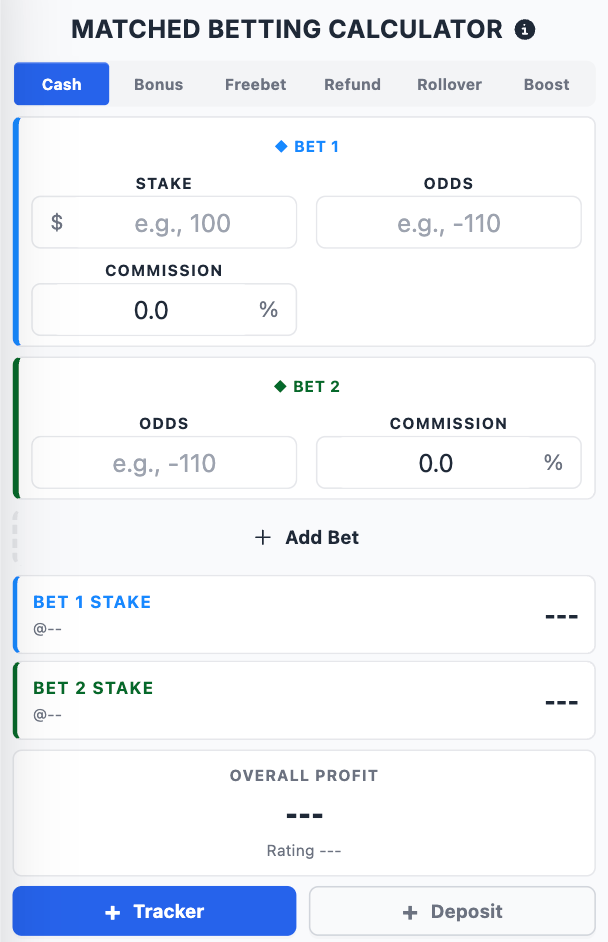
The Calculator lets you build the operation manually by selecting the mode and entering the odds and stake values.
2. Select the Correct Mode
Choose the mode that matches the operation you are completing:
- Cash
- Bonus Bet
- 2nd Chance
- Playthrough
- Boost
Selecting the correct mode is essential because it changes how the stakes, rating, and expected result are calculated. A calculation that is correct for a normal qualifying bet may be completely wrong for a bonus bet, a playthrough, or a boost.
3. Enter the Bet Details
Enter the values required for the calculation:
- The bet amount.
- The odds of your main sportsbook bet.
- The odds of the opposite outcome you will bet to cover it (on ProphetX or another sportsbook).
- The commission, if the hedge is on ProphetX (2% on net winnings).
- Any additional values required by the selected mode.
4. Read the Results
Once the required fields are completed, the Calculator shows:
- The exact stake to place on each bet.
- The expected profit or loss for each possible outcome.
- The overall result of the operation.
- The rating of the calculation.
5. Place the Bets
Before placing the bets, verify that the odds you entered still match the odds available at the sportsbook and on ProphetX.
Once everything is correct, place the bets using the exact amounts shown by the Calculator. Then add the operation to the Bet Tracker using the dedicated button.
Calculator Modes
The Calculator supports the same modes used across NinjaBet. Each mode is designed for a different type of operation.
Use:
- Cash for normal qualifying bets placed with your own money.
- Bonus Bet when the bet uses a bonus balance, or a bonus bet where only the winnings are returned.
- 2nd Chance when the sportsbook returns your stake, fully or partially, if a specific condition is met.
- Playthrough when you need to wager a combination of real money and bonus balance before the funds become withdrawable.
- Boost when a sportsbook increases the winnings of a bet by a percentage.
How Covering Works: Bet the Opposite Outcome
You cover your main sportsbook bet by betting the opposite outcome — on ProphetX or at another sportsbook.
For example, if you bet:
- Lakers to win at a sportsbook,
you cover it by betting:
- Celtics to win on ProphetX (or at another sportsbook).
One bet wins and the other loses — that is normal. What matters is the combined result. When a market has more than two possible outcomes, the Calculator lets you add the extra bets needed and recalculates the stake for each one.
Covering Multiple Outcomes
You can add as many bets as the operation requires.
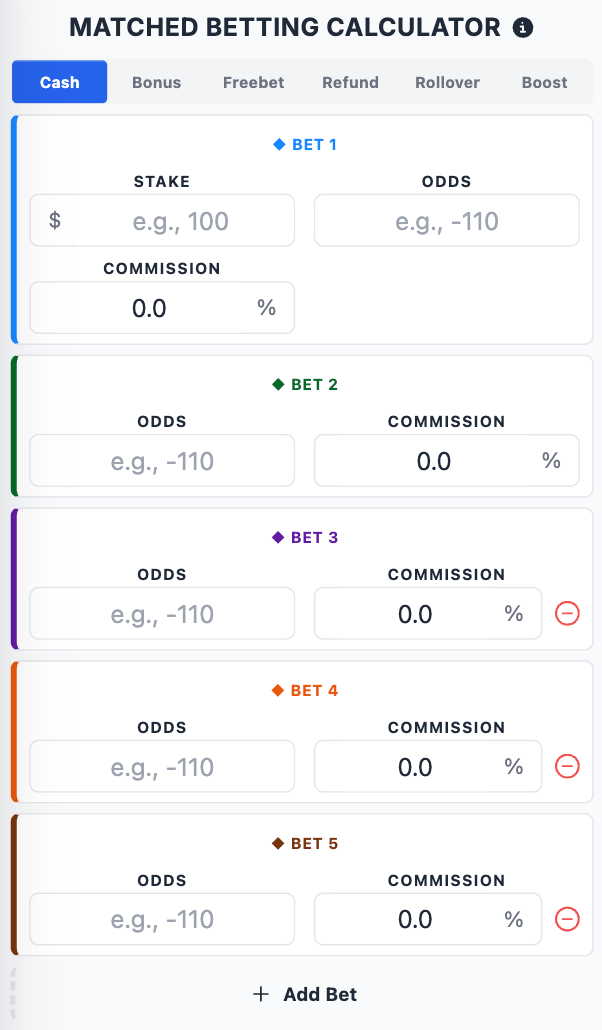
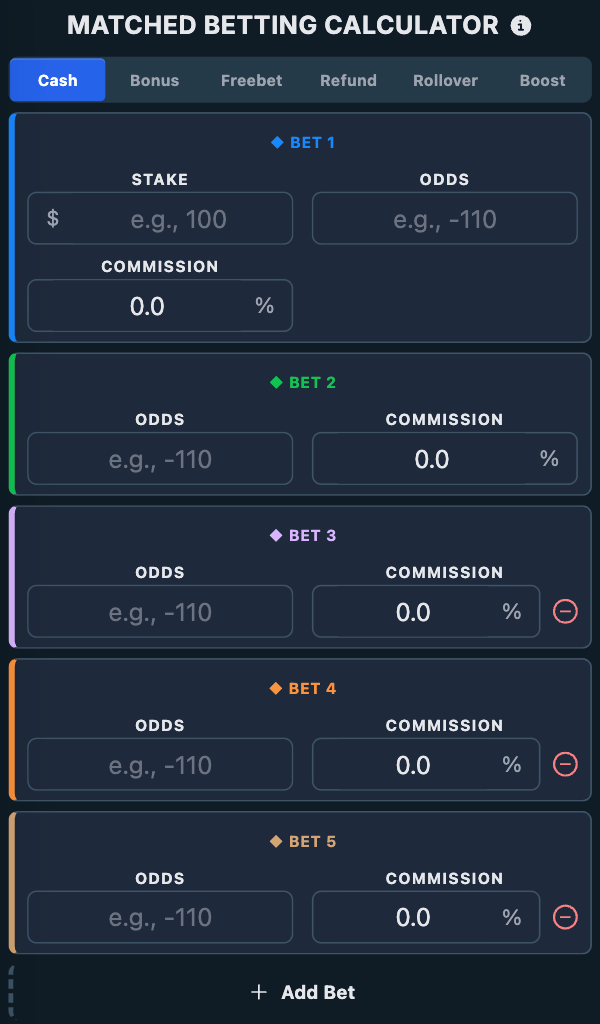
This is useful when you need to cover:
- A market with more than two possible outcomes.
- An operation where you split the hedge across several sportsbooks.
You can:
- Add another bet with the + button.
- Enter the odds and commission for each additional bet.
- Remove unnecessary bets when needed.
The Calculator automatically recalculates the stakes so the whole operation stays balanced according to the selected mode.
Rounding Amounts
If your account is set to Round amounts, the Calculator rounds the stakes placed at a sportsbook. Whole-number stakes are easier to place and look less like calculated bets to a sportsbook.
Bets placed on ProphetX are not rounded. As a prediction market, ProphetX accepts precise stakes, so those amounts stay exact.
Rounded stakes can slightly change the final result. When stakes are rounded or manually adjusted, the profit or loss may no longer be exactly the same for every possible outcome. Always review the scenario results shown by the Calculator before placing the bets.
What the Calculator Shows
The Calculator result area gives you the practical information needed to place the operation correctly.
It shows:
- The stake for your main sportsbook bet.
- The stake for each hedge bet.
- The expected result in each possible scenario.
- The overall profit or loss.
- The calculation rating.
The rating gives a quick indication of how efficient the operation is for the selected mode.
The Calculator also includes copy buttons next to stake values, making it easier to transfer the exact amounts when placing the bets.
Bet Not Matched
The Calculator includes a Bet Not Matched section to help you understand what happens if a hedge bet on ProphetX is not fully Filled.
This matters because odds or available liquidity on ProphetX can change while you are preparing the operation, so a hedge bet can end up partially filled or pending.
For a more in-depth explanation, read the dedicated guide on how the Bet Not Matched section works.
Example: Covering a Bet
Suppose you need to place a $100 Cash qualifying bet on the Lakers moneyline for a sportsbook offer, and you want to cover it by betting the opposite outcome on ProphetX.
You have:
- Sportsbook: Lakers at +120
- ProphetX: Celtics at -105
Step by step
- Open the Calculator.
- Select Cash mode.
- Enter your sportsbook stake: $100.
- Enter the odds for Lakers: +120.
- Enter the odds for the cover on Celtics: -105, and the ProphetX commission (2%).
- The Calculator shows the exact stake to bet on Celtics.
- Review the result for every possible outcome.
- Place both bets using the amounts shown, and check that the ProphetX bet is Filled.
- Add the operation to the Bet Tracker using the dedicated button.
You are not betting on the same outcome twice. You cover your sportsbook bet by betting the opposite outcome. If the market has more than two outcomes, add a hedge bet for each remaining outcome.
Important Checks and Common Mistakes to Avoid
Before confirming any Calculator operation, always verify the following.
1. The selected mode is correct
A Cash calculation is not the same as a Bonus Bet, 2nd Chance, Playthrough, or Boost calculation.
2. The event is the same
Make sure every bet refers to the exact same game or event.
3. The market is the same
Check carefully that the market line is identical.
4. The selection is correct
Your hedge bet must be on the opposite outcome. In a market with more than two outcomes, the hedge bets must complete the remaining outcomes.
5. The odds are still correct
The Calculator uses the odds you typed in. It does not refresh them automatically. Always re-check the live odds before placing the bets.
6. The commission is correct
If you are covering on ProphetX, make sure the 2% commission is set so the result is accurate.
7. The hedge is fully Filled
If you cover on ProphetX, confirm the bet is Filled and not left pending or partially filled.
8. The limits are enough
Make sure the sportsbook accepts the amounts shown by the Calculator.
9. The final scenario results are acceptable
If stakes have been rounded or manually adjusted, check that the profit or loss shown for each outcome is still acceptable before placing the bets.
Final Summary
The Calculator is the tool to use when you already know the bet you want to place and need the exact stakes to cover it.
To use it correctly:
- Open the Calculator.
- Select the mode that matches the offer.
- Enter the stake, odds, commission (if covering on ProphetX), and any mode-specific values.
- Add extra hedge bets when the market has more than two outcomes.
- Review the calculated stakes, rating, and scenario results.
- Check the Bet Not Matched section when relevant.
- Verify the event, market, selection, odds, and limits.
- Place the bets using the exact amounts shown.
- Add the operation to the Bet Tracker.
Used correctly, the Calculator helps you complete qualifying bets, bonus bets, second chance bets, playthroughs, profit boosts, and other matched betting operations with a controlled and clearly calculated result.
What's new in September 2026
In the first month of the new NinjaBet the Calculator gained three things.
- Back-back bets with 4, 5 and 6 outcomes: with Add Bet you add as many bets as the market has outcomes, up to 6, and the cover on markets with many results lands in the Bet Tracker with the right winnings for every outcome.
- The Calculator always beside the table: in the Bet Finder and the other tools it opens in a side panel, which collapses when you need the room, with the Copy event name and Copy date buttons; the custom prediction markets you add in the Bet Tracker can be picked here too, with their commission.
- Open to everyone: the Calculator, the SureBet calculator and the ValueBet calculator now open without signing in, so you can read what they do before creating an account; using them still requires the matching Premium product.
For everyone, even without an account, there are now 12 free betting calculators, from the odds converter to the Kelly criterion (see Which free calculators does NinjaBet offer?). The summary of everything that changed is in What changed with the new NinjaBet site?.