


When you place a hedge bet, the operation is only fully controlled once the entire hedge amount has been placed at the odds used in the calculator.
This is especially important on ProphetX. Because ProphetX is a peer-to-peer prediction market, your cover only Fills when someone takes the other side of it. If there is not enough action at the odds you selected, only part of your hedge bet may Fill, while the rest stays pending. At that point, the original calculation no longer reflects what has actually happened.
NinjaBet calculators include a dedicated Bet Not Matched section that helps you recalculate the remaining hedge using:
- The amount that has already Filled.
- The new odds currently available.
- The updated result of the operation.
This allows you to complete the hedge correctly and immediately understand the new stake and final profit or loss scenarios.
What Does “Bet Not Matched” Mean?
A bet is not matched, or partially filled, when the full amount you tried to place is not accepted at the odds you requested.
For example, the calculator tells us to place a hedge bet of $47.42 at odds of +210 on ProphetX but only part of it Fills:
- $30 is Filled.
- $17.42 stays pending.
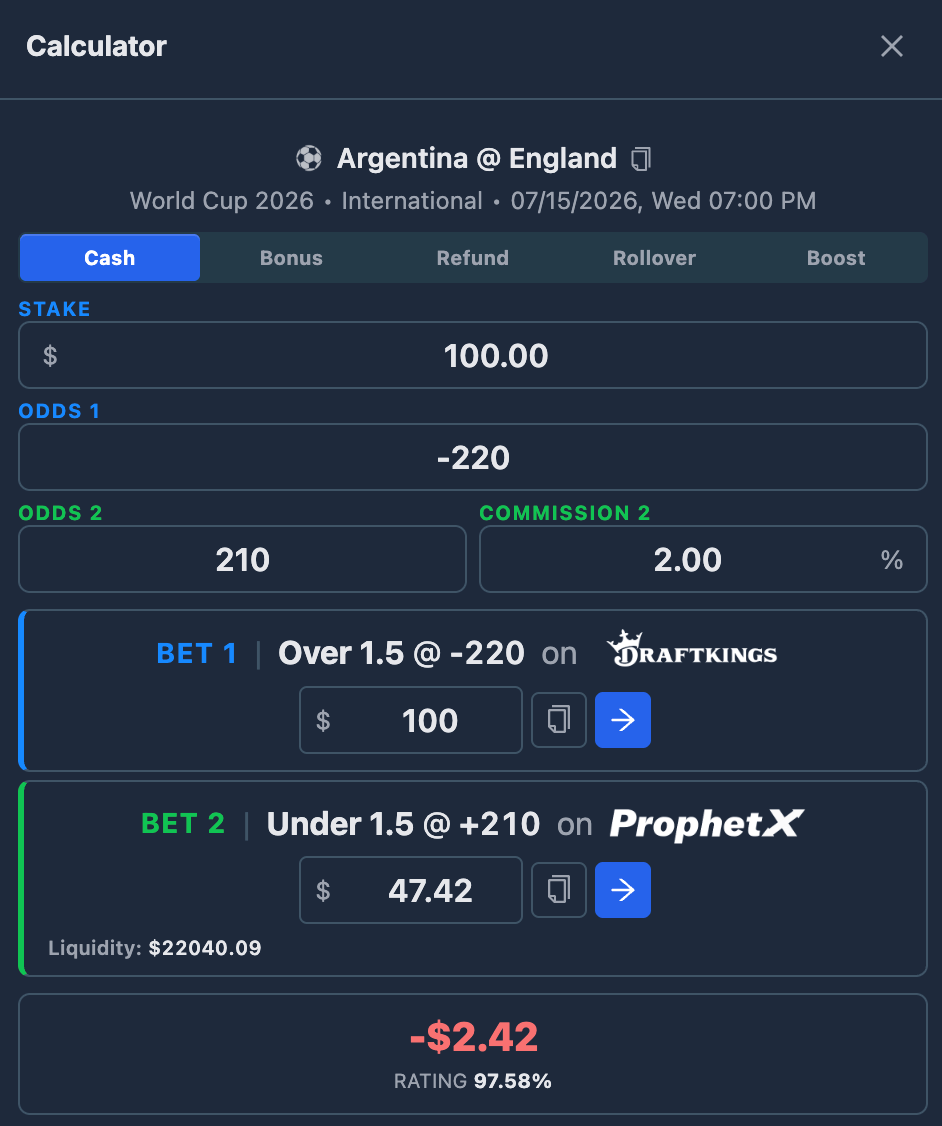
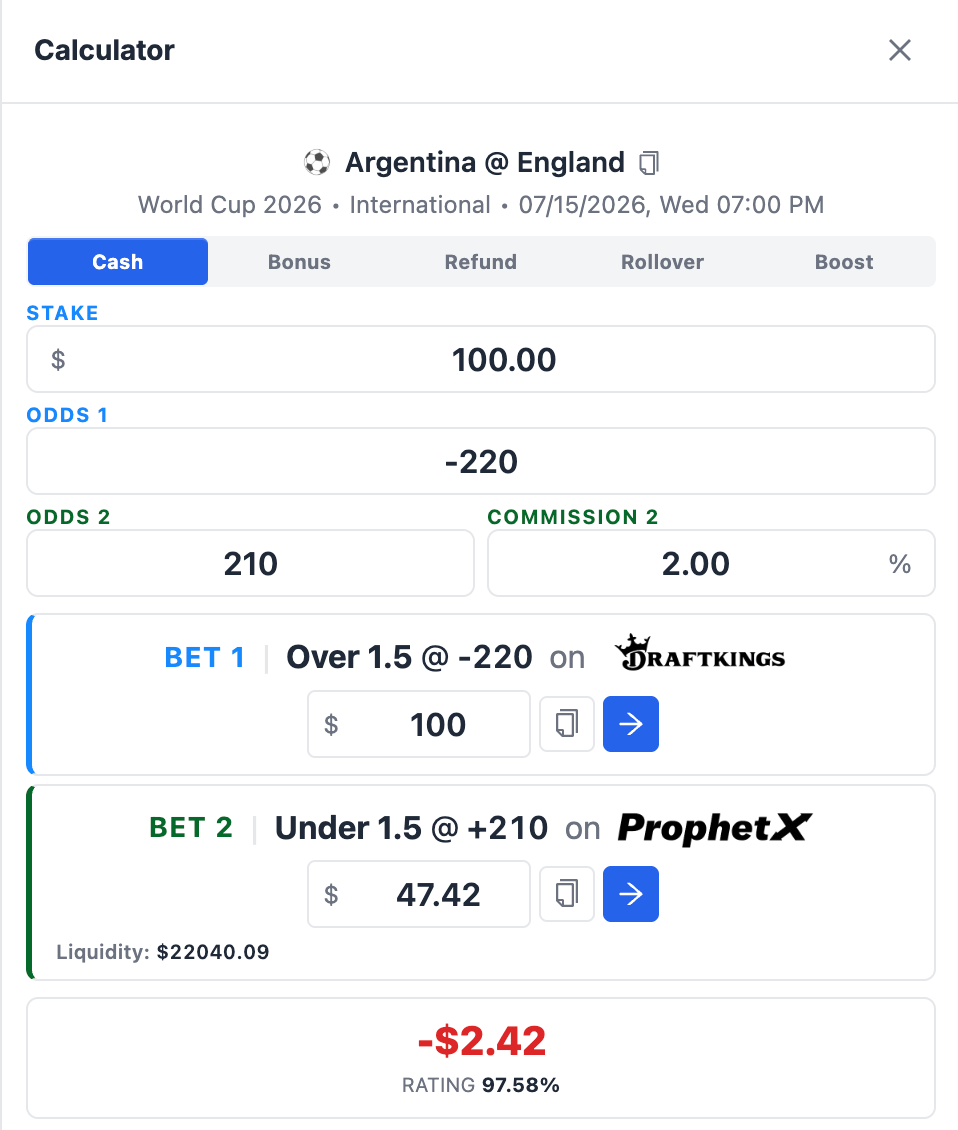
At this point, our hedge is incomplete. The sportsbook bet is still fully active, but only part of the hedge bet has Filled. This means the operation is no longer balanced as shown by the original calculation.
The Bet Not Matched section in NinjaBet calculators exists to help you fix this situation.
What Can You Do If the Hedge Is Not Fully Filled?
If part of your hedge bet stays pending, you have two possible options.
Wait for the rest to Fill
You can leave the pending portion on ProphetX and wait to see whether it Fills at the original odds.
This is only reasonable when:
- There is enough time before the event starts.
- The market is active.
- You are monitoring the pending amount carefully.
The full amount must still Fill before the event begins. Otherwise, the operation remains exposed.
Cancel the pending portion and recalculate
The safer and more controlled approach is to:
- Cancel the pending remainder.
- Refresh ProphetX to make sure that no further amount has Filled in the meantime.
- Check the new available odds.
- Use the Bet Not Matched section to calculate the additional hedge stake required.
How to Use the Bet Not Matched Section
Once the pending portion has been cancelled, return to the NinjaBet calculator where the original operation is already loaded and open the Bet Not Matched section.
Then follow these steps:
- Enter the amount that was actually Filled, not the amount that stayed pending.
- Enter the new odds now available for the hedge.
- Check that the ProphetX commission setting is correct.
- Read the updated calculation.
The calculator will show the new hedge amount that must be placed to complete the operation correctly.
In our example, we enter the $30 already Filled and the new hedge odds of +200. The Bet Not Matched section tells us to place an additional hedge bet of $18.
We can now place that additional hedge bet of $18 to complete the hedge.
The hedge is now complete, although the final result may be slightly different from the original calculation because part of the hedge was placed at worse odds.
Using Bet Not Matched in Different NinjaBet Tools
The logic is always the same: the original hedge could not be completed exactly as planned, so the calculator helps you complete it using the amount already covered and the updated odds.
Calculator
Use the Bet Not Matched section when a hedge bet created from the calculator is only partially completed or needs to be finished at different odds.
Bet Finder
When you open a calculator from a tool, the original odds, stake, and settings are already loaded. If the hedge is not completed as expected, use the Bet Not Matched section inside that same calculator so the operation can be recalculated from the original setup.
Parlay Finder
In Parlay Finder, the hedge is managed step by step across the different legs of the parlay. If the hedge for one step is not completed as planned, use the Bet Not Matched section for that specific step to calculate the correct amount needed at the updated odds.
Important Checks and Common Mistakes to Avoid
Enter the Filled amount, not the pending amount
This is the most important point. The calculator needs to know how much of the hedge has already been completed. If you enter the amount that stayed pending instead, the recovery calculation will be wrong.
Cancel the pending part before placing the new cover
Never place the newly calculated hedge while the old pending portion is still active. Otherwise, both may eventually Fill and create an incorrect total hedge. After cancelling the pending part, also refresh ProphetX and make sure that no further amount has Filled in the meantime.
Re-check the odds before submitting
The new calculation is correct only if the odds entered in NinjaBet match the odds actually available when you place the new hedge.
Check the updated scenarios
A partial fill often makes the operation slightly worse than originally planned. Always review the new profit or loss values before completing it.
Do not wait too long
If the event is close to starting, the priority is to complete the hedge safely. Waiting for the original odds to become available again can expose you to unnecessary risk.
Final Summary
The Bet Not Matched section helps you recover an operation when the hedge bet is not fully completed at the original odds.
The safe workflow is:
- Identify how much of the hedge was actually Filled.
- Cancel any pending remainder.
- Check the new odds currently available.
- Open the Bet Not Matched section in the same NinjaBet calculator.
- Enter the Filled amount and the new odds.
- Place the recalculated hedge stake.
- Review the updated profit or loss scenarios.
Done correctly, the operation becomes fully covered again. The final result may be slightly different from the original calculation, but the risk is brought back under control.
What Does “Bet Not Matched” Mean?
A bet is not matched, or partially filled, when the full amount you tried to place is not accepted at the odds you requested.
In our example, the calculator tells us to place a hedge bet of $19.46 at +480 on ProphetX.
We place the hedge bet, but only part of it Fills:
For example, the calculator tells us to place a hedge bet of $47.42 at odds of +210 on ProphetX but only part of it Fills:
- $30 is Filled.
- $17.42 stays pending.
At this point, our hedge is incomplete. The sportsbook bet is still fully active, but only part of the hedge bet has Filled. This means the operation is no longer balanced as shown by the original calculation.
The Bet Not Matched section in NinjaBet calculators exists to help you fix this situation.
What Can You Do If the Hedge Is Not Fully Filled?
If part of your hedge bet stays pending, you have two possible options.
Wait for the rest to Fill
You can leave the pending portion on ProphetX and wait to see whether it Fills at the original odds.
This is only reasonable when:
- There is enough time before the event starts.
- The market is active.
- You are monitoring the pending amount carefully.
The full amount must still Fill before the event begins. Otherwise, the operation remains exposed.
Cancel the pending portion and recalculate
The safer and more controlled approach is to:
- Cancel the pending remainder.
- Refresh ProphetX to make sure that no further amount has Filled in the meantime.
- Check the new available odds.
- Use the Bet Not Matched section to calculate the additional hedge stake required.
In our example, we choose the safer option and cancel the pending portion.
How to Use the Bet Not Matched Section
Once the pending portion has been cancelled, return to the NinjaBet calculator where the original operation is already loaded and open the Bet Not Matched section.
Then follow these steps:
- Enter the amount that was actually Filled, not the amount that stayed pending.
- Enter the new odds now available for the hedge.
- Check that the ProphetX commission setting is correct.
- Read the updated calculation.
The calculator will show the new hedge amount that must be placed to complete the operation correctly.
In our example, we enter the $30 already Filled and the new hedge odds of +200. The Bet Not Matched section tells us to place an additional hedge bet of $18.
We can now place that additional hedge bet of $18 to complete the hedge.
The hedge is now complete, although the final result may be slightly different from the original calculation because part of the hedge was placed at worse odds.
Using Bet Not Matched in Different NinjaBet Tools
The logic is always the same: the original hedge could not be completed exactly as planned, so the calculator helps you complete it using the amount already covered and the updated odds.
Calculator
Use the Bet Not Matched section when a hedge bet created from the calculator is only partially completed or needs to be finished at different odds.
Bet Finder
When you open a calculator from a tool, the original odds, stake, and settings are already loaded. If the hedge is not completed as expected, use the Bet Not Matched section inside that same calculator so the operation can be recalculated from the original setup.
Parlay Finder
In Parlay Finder, the hedge is managed step by step across the different legs of the parlay. If the hedge for one step is not completed as planned, use the Bet Not Matched section for that specific step to calculate the correct amount needed at the updated odds.
Important Checks and Common Mistakes to Avoid
Enter the Filled amount, not the pending amount
This is the most important point. The calculator needs to know how much of the hedge has already been completed. If you enter the amount that stayed pending instead, the recovery calculation will be wrong.
Cancel the pending part before placing the new cover
Never place the newly calculated hedge while the old pending portion is still active. Otherwise, both may eventually Fill and create an incorrect total hedge. After cancelling the pending part, also refresh ProphetX and make sure that no further amount has Filled in the meantime.
Re-check the odds before submitting
The new calculation is correct only if the odds entered in NinjaBet match the odds actually available when you place the new hedge.
Check the updated scenarios
A partial fill often makes the operation slightly worse than originally planned. Always review the new profit or loss values before completing it.
Do not wait too long
If the event is close to starting, the priority is to complete the hedge safely. Waiting for the original odds to become available again can expose you to unnecessary risk.
Final Summary
The Bet Not Matched section helps you recover an operation when the hedge bet is not fully completed at the original odds.
The safe workflow is:
- Identify how much of the hedge was actually Filled.
- Cancel any pending remainder.
- Check the new odds currently available.
- Open the Bet Not Matched section in the same NinjaBet calculator.
- Enter the Filled amount and the new odds.
- Place the recalculated hedge stake.
- Review the updated profit or loss scenarios.
Done correctly, the operation becomes fully covered again. The final result may be slightly different from the original calculation, but the risk is brought back under control.